
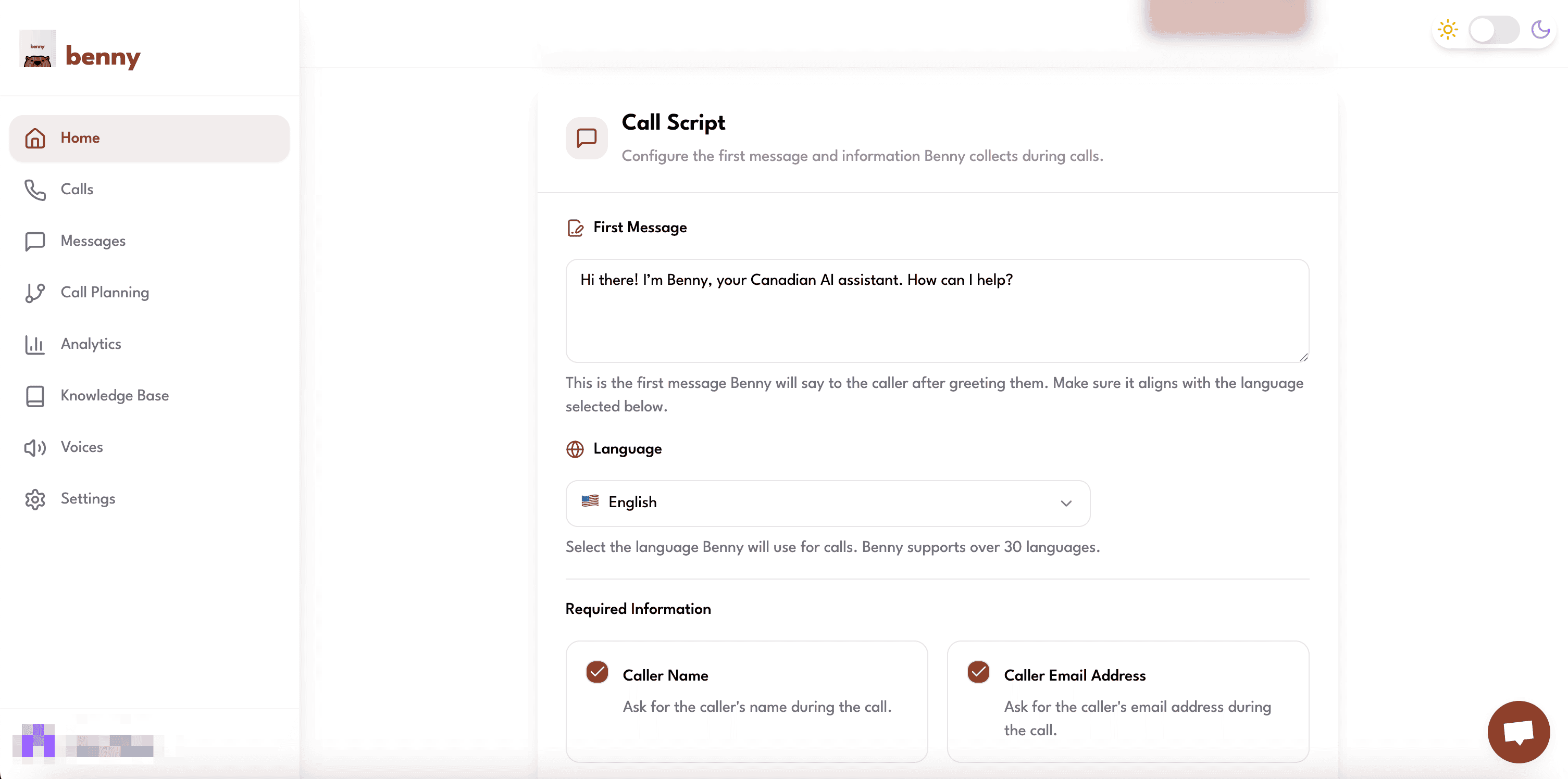
Getting started with Ask Benny takes just a few minutes. With the Business Overview section, you can prompt Benny with anything you want your assistant to know. This allows you to train Benny on the unique details of your business and ensure every call is handled the way you would handle it yourself.
Train Benny on Your Business
You can train Benny right away using your Google Business Profile, website address, or simple business information. Once entered, Benny is ready to represent your brand accurately. Core details to provide include:
- Business hours
- Services offered
- Pricing information
- Special instructions
This is the foundation of how Benny introduces your business and responds to callers. There is even the option to generate your Business Prompt with AI, making it quick and easy to set up.
For more on the process, see our How It Works page.
Customize How Benny Answers
You are in full control of how Benny speaks on your behalf. Customization options include:
- Greeting and introduction
- What information to collect from callers (ex. Caller Name, Caller Email Address)
- Questions to ask when taking a message
- Call handling preferences for different types of inquiries
These adjustments ensure callers always receive a response that feels natural to your business. Every business has its own style, and Benny adapts to yours.
Expand with the Knowledge Base
For deeper training, you can upload documents or FAQs in the Knowledge Base, so Benny has context on your services, policies, or internal processes. This allows Benny to give precise answers to detailed questions, ensures callers receive accurate, consistent answers, no matter how detailed the question. Enterprises and service providers find this especially useful for maintaining consistency across multiple locations.
Confirm and Adjust
Once you provide your business information, Benny is trained and ready to start answering. From there, you can confirm Benny has everything correct, make adjustments, or add new instructions as your business evolves. The system is flexible, so Benny grows alongside your operations.
Final Thoughts
Ask Benny gives you a powerful but easy way to set up an AI assistant that truly represents your business. With the Business Overview, custom call scripts, and Knowledge Base, you can go from sign-up to a trained, customized receptionist in just minutes.
Start today and see how simple it is to have Benny handle your calls your way.

About Benjamin Beaverton
Benjamin Beaverton is Ask Benny’s resident expert in all things AI, call handling, and small business success. A proudly Canadian beaver with a knack for staying busy, Benjamin shares insights from the virtual front desk - where no call goes unanswered and no customer is left waiting. When he’s not helping businesses boost their customer service, you’ll find him fine-tuning Benny’s scripts, building better workflows, and occasionally gnawing on tech trends.
Follow Benjamin for smart tips, fresh updates, and a peek behind the bark at Ask Benny HQ.