
You can be live with Ask Benny and Dialpad in minutes, without changing your number or disrupting your existing phone system.
Before You Start
Make sure you have:
- Admin or office manager access in Dialpad
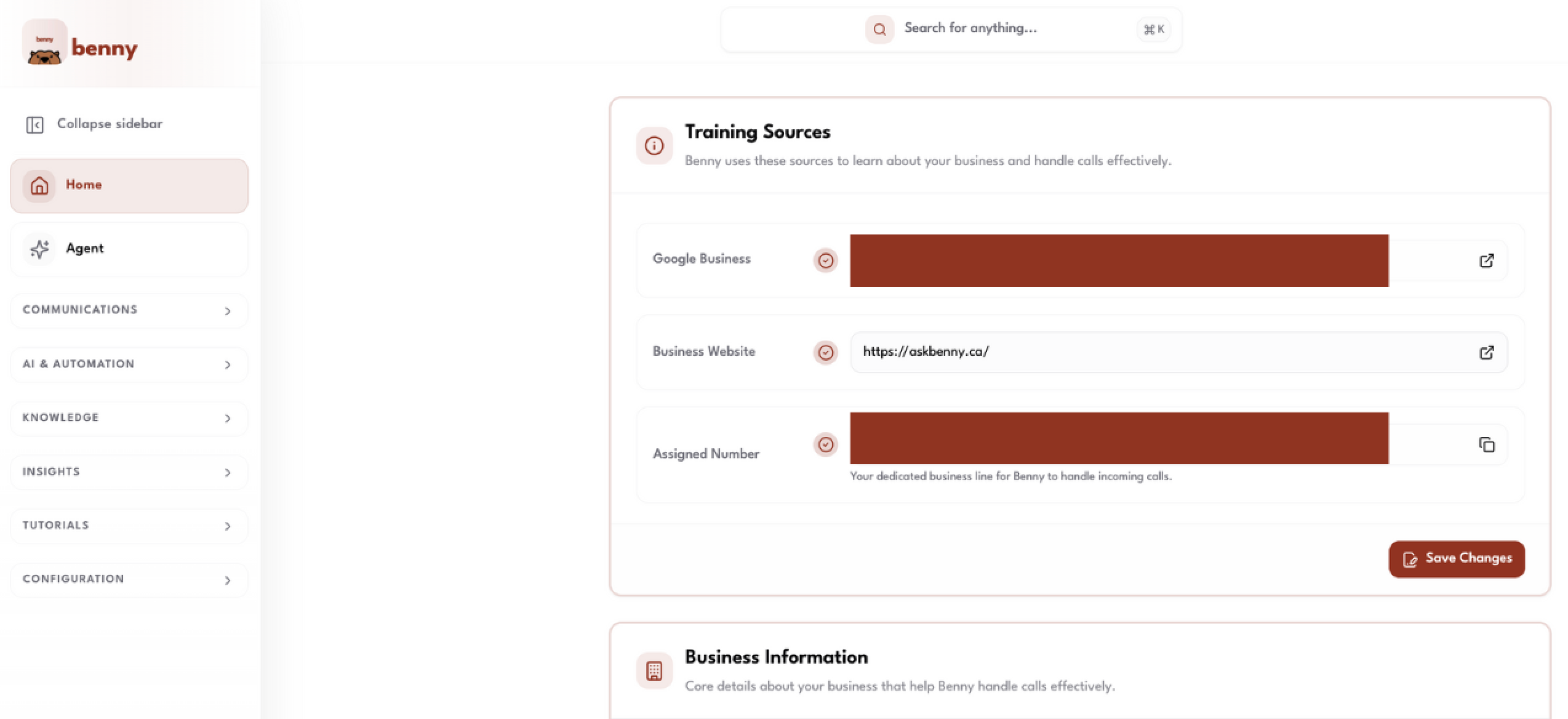
- Your Ask Benny forwarding number from your Ask Benny dashboard
- A quick idea of when you want calls forwarded (always, after hours, during peak times, or conditionally)
Where to Find Your Ask Benny Forwarding Number
Open your Ask Benny dashboard
Select Home
Navigate to Training Sources > Assigned Number
Option 1: Forward Calls Using Dialpad Call Routing
This is the most common setup for businesses using Dialpad.
Log into your Dialpad Admin Portal
Go to Office Settings or Call Routing
Select the number or department you want to forward
Add your Ask Benny number as a forwarding destination
Choose when calls should forward (always, overflow, after hours, or custom hours)
Save and test the flow
This approach keeps your Dialpad number intact while letting Benny handle incoming calls based on your rules.
Option 2: Forward Calls for Individual Dialpad Users
If you want Benny to answer calls for specific team members rather than the entire office:
Open the Dialpad Admin dashboard
Select the user
Navigate to Call Handling or Forwarding
Add the Ask Benny number as the forwarding destination
Save and test
This is useful for owners, managers, or sales staff who want coverage during meetings or off hours.
Option 3: Using Dialpad Desk Phones
If your business relies on physical Dialpad desk phones, forwarding is still managed through the Dialpad admin portal rather than the phone itself.
Once forwarding is enabled in Dialpad:
- Calls ring through Dialpad as usual
- Unanswered or routed calls are passed to Ask Benny
- No hardware changes are required
What Happens After Forwarding Is Enabled
Once call forwarding is active, incoming calls to your Dialpad number will route through Ask Benny.
From the caller’s perspective, nothing changes. They dial the same number and hear your business greeting as usual. Calls are handled according to the rules and routing you have set up in Ask Benny.
You can review call activity, messages, and follow-ups in your Ask Benny dashboard.
Best Practices for Dialpad + Ask Benny
To get the smoothest experience:
- Test with a few internal calls before going live
- Keep Dialpad voicemail disabled for forwarded paths
- Use clear routing rules so calls are not forwarded twice
Need Help?
If you are unsure which Dialpad forwarding option is right for your business or have questions about setup, our team can walk you through the steps and help test your call flow. Contact us at info@askbenny.ca

About Benjamin Beaverton
Benjamin Beaverton is Ask Benny’s resident expert in all things AI, call handling, and small business success. A proudly Canadian beaver with a knack for staying busy, Benjamin shares insights from the virtual front desk - where no call goes unanswered and no customer is left waiting. When he’s not helping businesses boost their customer service, you’ll find him fine-tuning Benny’s scripts, building better workflows, and occasionally gnawing on tech trends.
Follow Benjamin for smart tips, fresh updates, and a peek behind the bark at Ask Benny HQ.